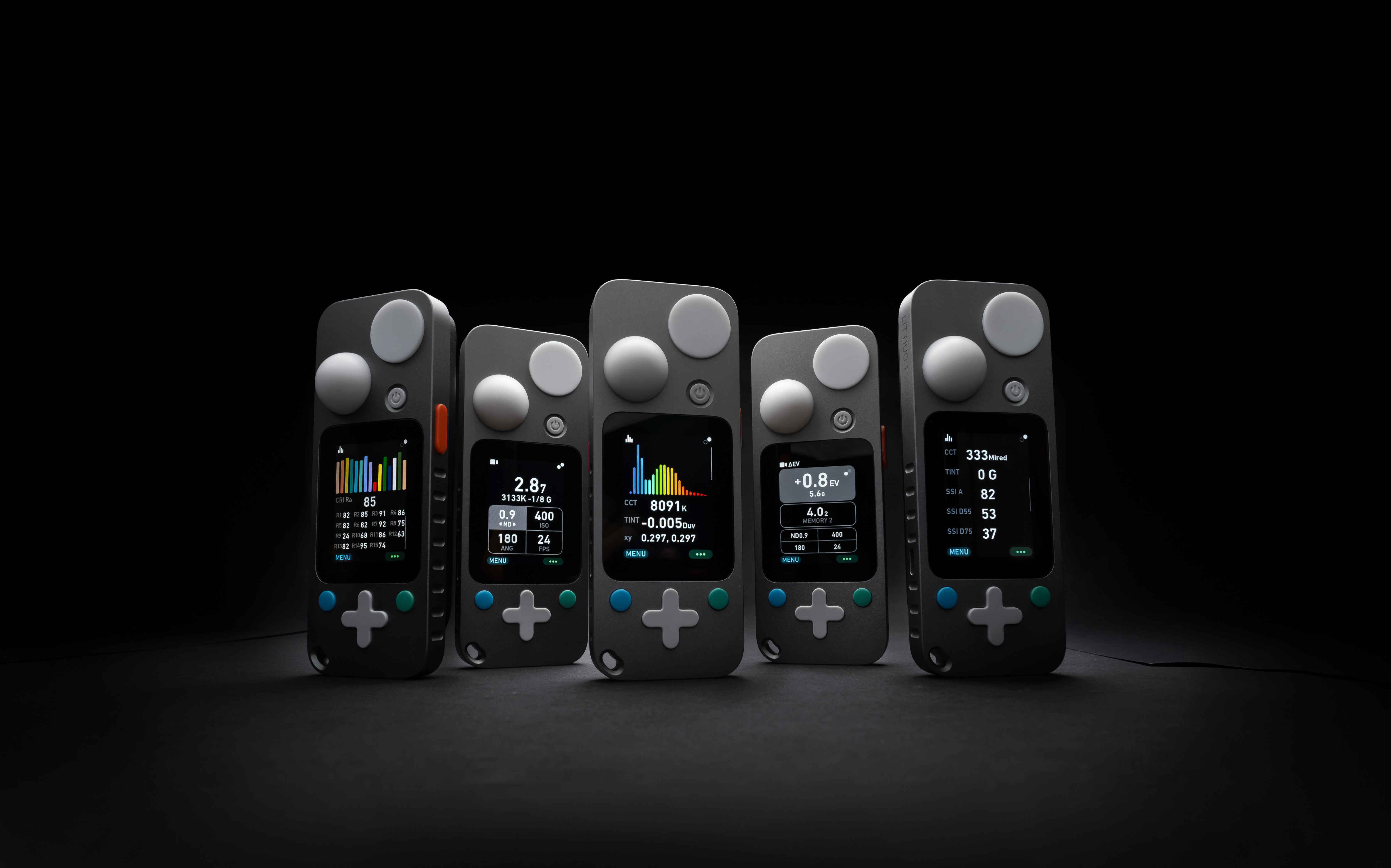
Entirely new LIT OS, iOS, Android OS, and macOS apps are now released. They have been redesigned and improved in all aspects compared to the original version and plans.
Send feedbacks to hello@lit-systems.com.
What's New
Changes compared to LIT OS 0.9 beta3 (released Feb '26): SPECTRUM MODE
2.5x higher spectrum measuring resolution and graph
New: CRI and SSI (both will be further tweaked before final release)
New: Mired units for CCT
New: Ability to fully configure displayed data on up to 3 sub-screens
Improved CCT accuracy when measuring colder LED spectrums
15-60% shorter measuring duration (depending on ambient light level)
New: Ability for global tuning of CCT results ("TUNE KELVIN" inside Advanced Settings)
COLOR TEMPERATURE MODE
Improved CCT accuracy when measuring colder LED spectrums
15-60% shorter measuring duration (depending on ambient light level)
New: Ability for global tuning of CCT results ("TUNE KELVIN" inside Advanced Settings)
Removed "CCT" and "Tint" labels for cleaner layout
CINE MODE
New Submode: ΔEV (Exposure Difference) mode, with 5 memory spaces
New: ND filter setting moved onto main screen
New: Ability to measure and display additional units on main screen
New: Sounds
Approx. 20% shorter measuring duration and improved "display blinking" during continuous measuring in darker ambient conditions
PHOTO/VIDEO MODE
New: Ability to measure Shutter or ISO
New: Ability to measure and display additional units on main screen
New: Sounds
Approx. 20% shorter measuring duration and improved "display blinking" during continuous measuring in darker ambient conditions
New: "Mute sounds" global toggle (and icon on main menu when enabled)
Fixed: "TUNE AMBI EXPOSURE" now works correctly
Fixed: "FACTORY RESTORE" now works correctly
TECHNICAL & EXPERIENCE
New: "COLOR ENGINE 2.0": a completely new approach to calculating colorimetric units (will be further tweaked before final release)
New: Completely reworked BLE protocol, including encription (to be used in the new LIT Control apps as well 3rd-party integrations)
New: Support for native integration in the upcoming Blackout 3.0 control app (https://blackout-app.com/)
Fixed: All known reasons for LIT DUO 1 freezing have been fixed
New: Pressing measure button when in General or Advanced settings will return you to Main Menu
New: Pressing measure button when anywhere in Mode Options view will return you back to last measuring screen
... and many more under-the-hood improvements.
- - - -
WORK-IN-PROGRESS To be completed and included in final LIT OS 0.9 release:
New: Energy saving features: "Auto dim backlight" option and forced backlight dimming on very low batteries
New: Added option to calculate & display contrast ratios in ΔEV (Exposure Difference) mode
Improved Battery level indicator accuracy
Improved flash detection in high ambient levels
Improved speed when switching sub-screens inside the new Spectrum mode
Final fixes on the BLE protocol (for remote control apps)
Plan for LIT OS 1.0 will be published on the website after LIT OS 0.9 and new LIT Control apps are officially released. Keep sending your wishes to hello@lit-systems.com!
Install it via BLE (LIT App on iOS or Android)
Installing this software can't damage your device and does not void Warranty.
Installation is very simple: Download the "Lit light meter" app from Apple App Store or Google Play Store, connect your LIT DUO 1, and the app will automatically offer you the update.
For help or troubleshooting, see the video at the bottom.
Install it via USB (Mac or PC)
The USB-C update method works reliably on M-processor Macs, and PCs with standard Windows versions.
Intel-based Macs and PCs with specific Windows versions can sometimes fail to recognise the device or finish the update. In such case, try to repeat the process. If the issue persists, find another computer, or update via BLE using LIT App.
Installing this software can't damage your device and does not void Warranty.
Installation is very simple:
STEP 1: Download the Firmware file locally to your Mac or PC: